I wanted a simple dashboard for the things I use every day, so I asked Tiiny to build one for me.
I described the main features I needed: quick search, a lightweight to-do list, notes, and shortcuts to frequently used tools. I also asked for a minimalist interface that would be easy to maintain and expand.
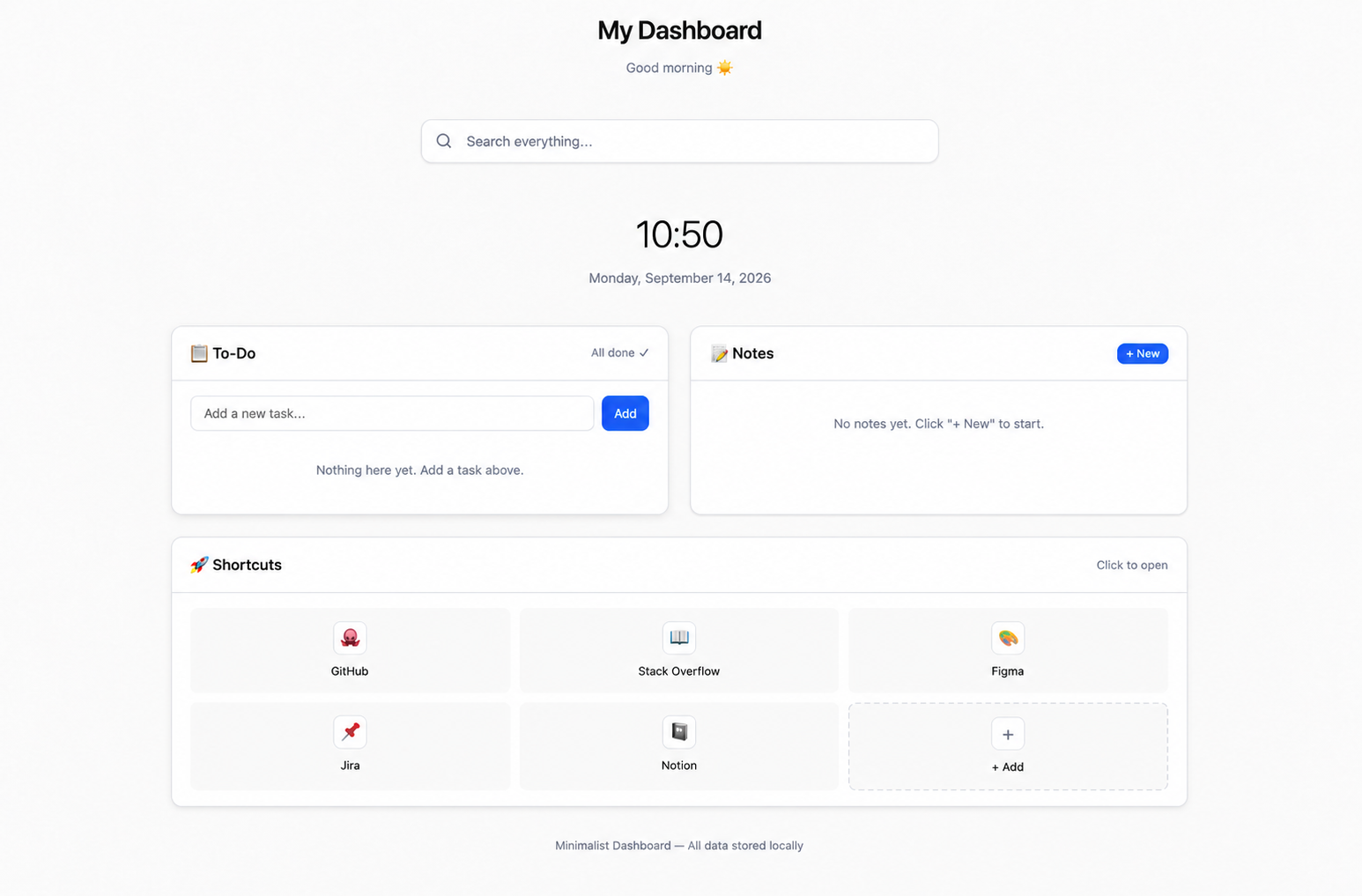
Tiiny turned the idea into this personal productivity dashboard. It includes a search bar, time and date, task and note sections, and a customizable shortcuts area for tools like GitHub, Figma, Jira, and Notion.
It’s a simple starting point, but that’s what makes it useful. I can keep the parts I need, remove the ones I don’t, and gradually turn it into a workspace that fits the way I work.
If you want to make your own dashboard with Tiiny, feel free to use the prompt below and change the modules to match your needs.
Prompt:
Please help me build a minimalist personal productivity dashboard. Its core features should include a global quick-search bar, a lightweight to-do list, a frequently used notes section, and customizable shortcut navigation.
The interface should strictly follow minimalist design principles, with ample white space, a clear visual hierarchy, a neutral color palette, and fully responsive layouts.
The codebase should be clean and well-structured, with clearly separated component responsibilities to support future maintenance and expansion. Please provide a complete implementation with a visually clean, clutter-free interface and smooth, intuitive interactions.
Model:Qwen/Qwen3.6-35B-A3B

No comments yet.