I've been using Tiiny AI to help me with my code. I work mainly in the Intellij IDE and I figured I would share how to setup Intellij to use Tiiny AI.
Steps to hook up intellij.
1) First grab your API key from the settings in Tiiny AI
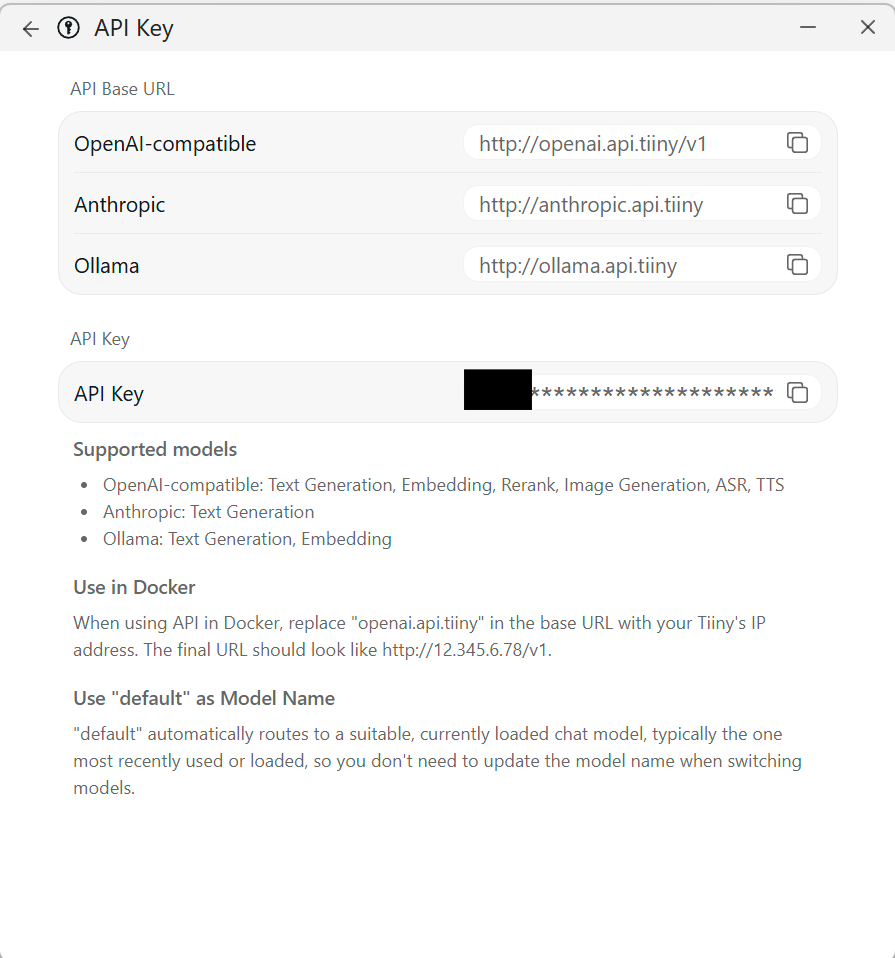
2) Go to Intellij settings and search for AI assistant (Providers & API keys)
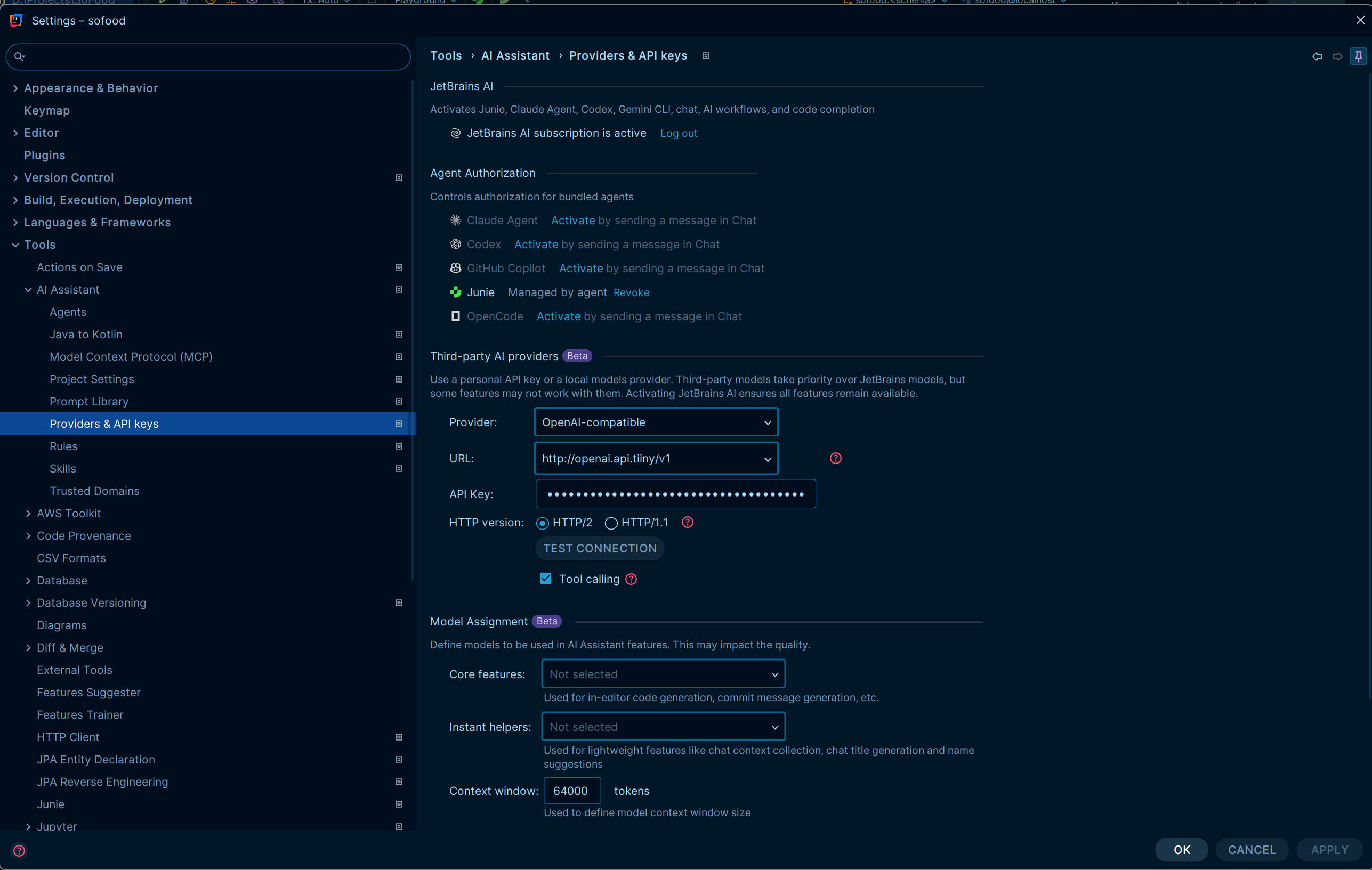
3) Select OpenAI-compatible in the provider field for Third-party AI providers
4) Put in the Openai url in the url field for third-party AI providers. ("http://openai.api.tiiny/v1")
5) Put in the API key that you copied to clipboard into the API key field.
6) You can select HTTP/2 and Tool calling options.
7) Open the chat window in intellij. And select chat as your agent.
8) Load a coding model into Tiiny AI. Make sure it's loaded all the way before looking for the model as it won't show in Intellij until it's fully loaded.
9) Select the model from the bottom under open-ai compatible.
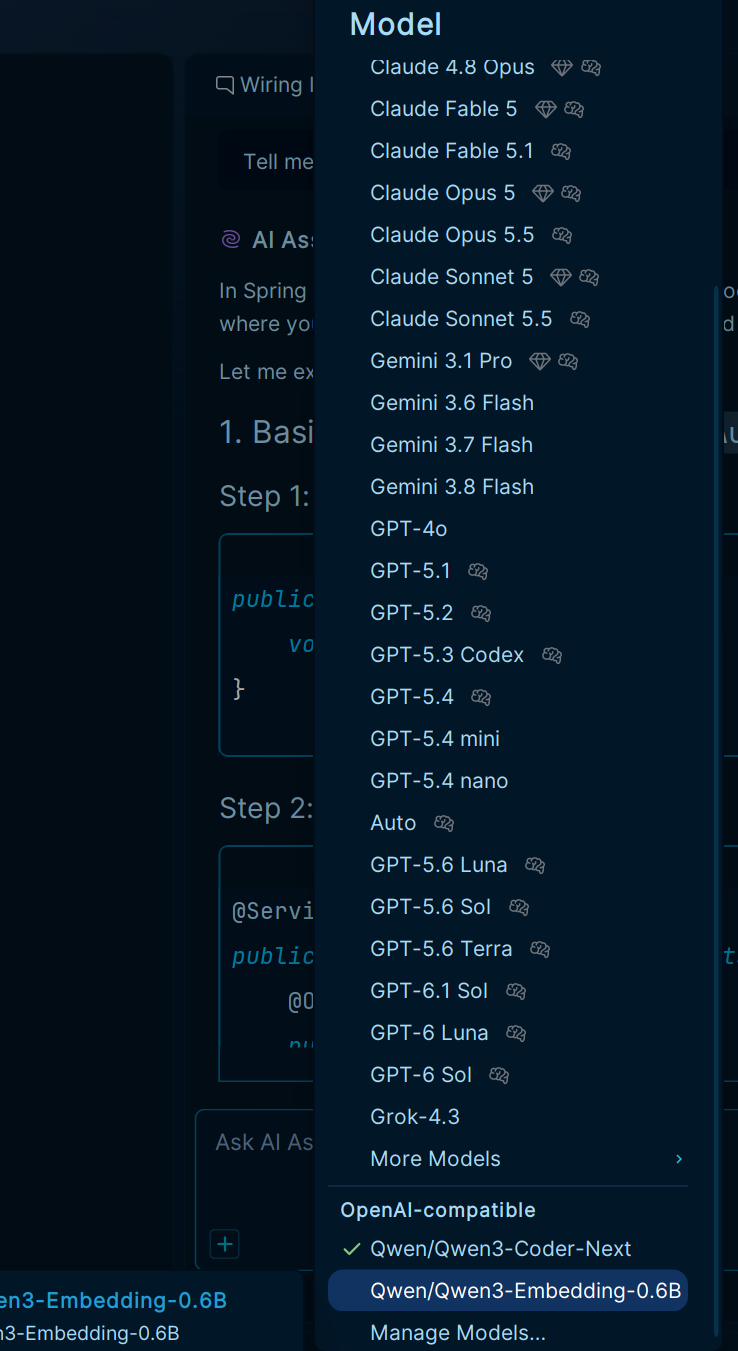
10) Chat away.
I hope this helps people out. I know I'm enjoying using Tiiny AI quite a bit with Intellij.

No comments yet.